Follow the directions below to link your Seed Live account to Vend IT so we can receive the transaction information from your Cantaloupe vending machines.
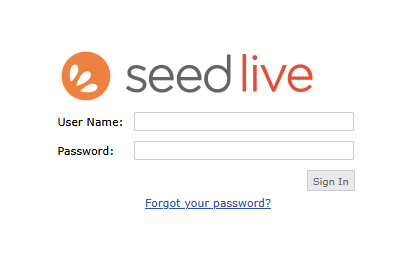
Login to your SeedLive account at https://seedlive.com using your regular credentials.
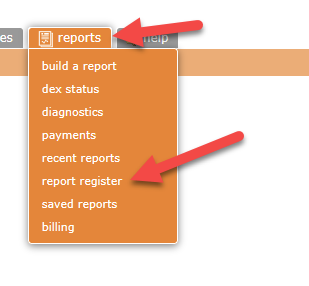
From the menu select reports then report register
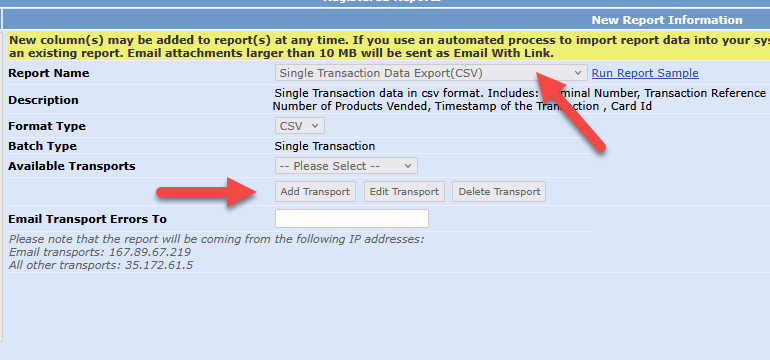
Select Report Name: Single Transaction Data Export (CSV) then press Add Transport
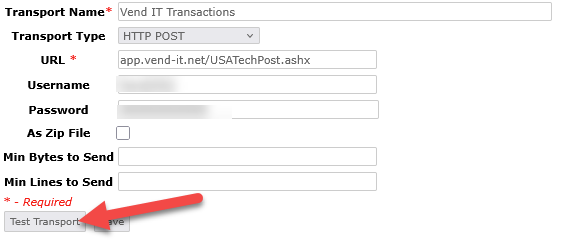
Enter the following information:
Transport Name: Vend IT Transactions
Transport Type: HTTP POST
URL: app.vend-it.net/USATechPost.ashx
Username: (from your welcome email)
Password: (from your welcome email)
Once complete press Test Transport
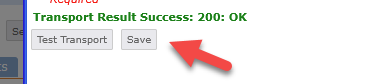
You should see the following. Once you do press Save.
Final step is to press Save as shown below:
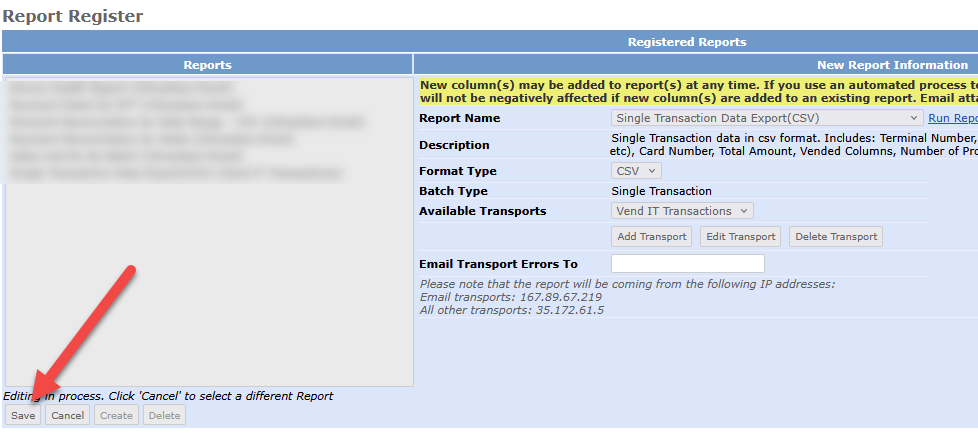
Once saved, Seed Live will begin delivering transactions to Vend IT. Sometimes this process can take 24 hours to start.
Next you should setup Device Alerts so you can also see any alerts your vending machines are generating in Vend IT.
Was this article helpful?
That’s Great!
Thank you for your feedback
Sorry! We couldn't be helpful
Thank you for your feedback
Feedback sent
We appreciate your effort and will try to fix the article